Introducing Flows: build data pipelines on a canvas
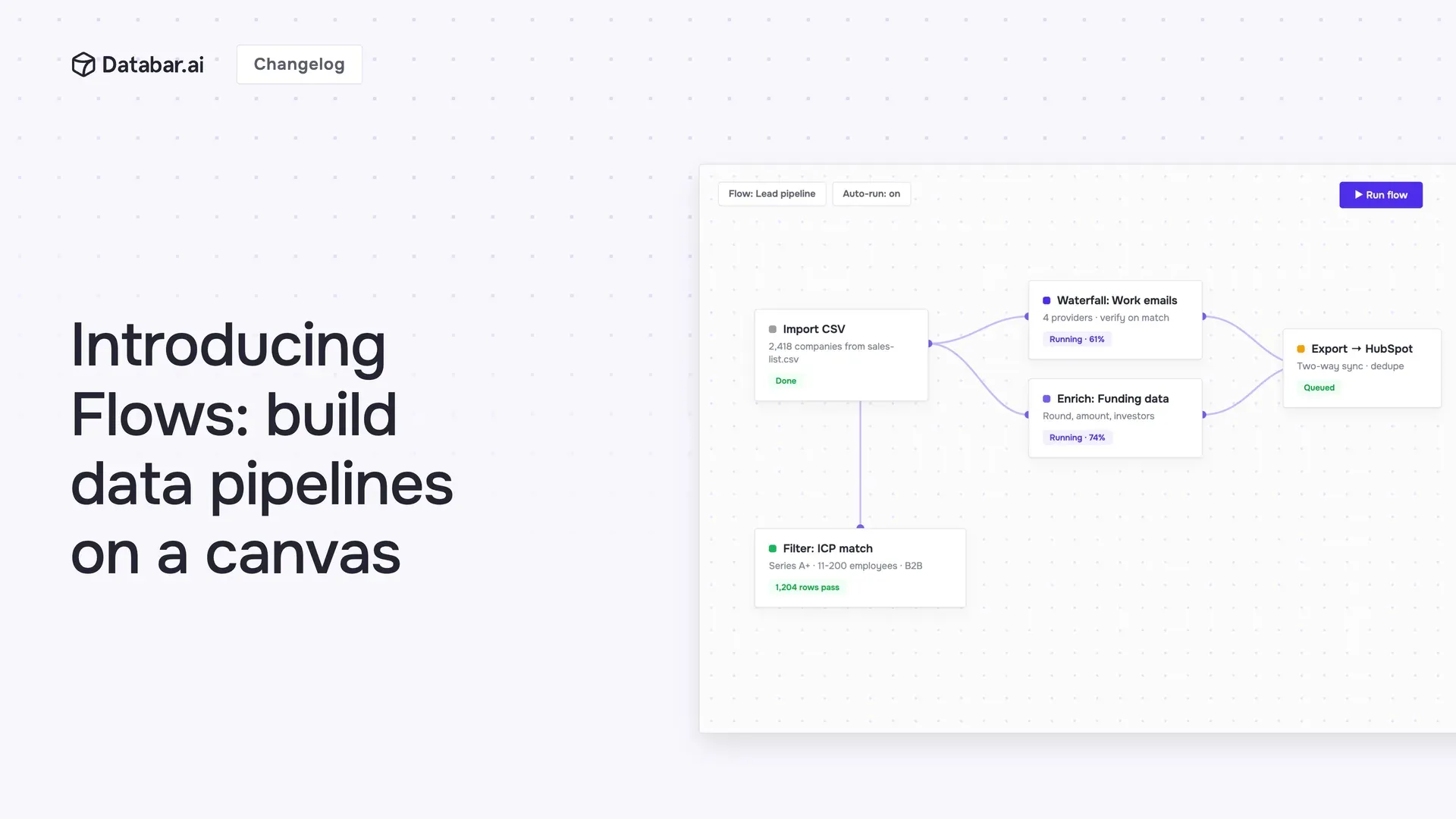
Most enrichment work is the same few steps, over and over. Find the email, verify it, enrich the company, score the lead. The process is standard and you run it constantly, so it should be something you build once and reuse, not something you rebuild column by column every time.
That's hard to do with table enrichments. Branching logic is awkward (do one thing when there's an email, something else when there isn't). Sharing a process with your team means rebuilding it by hand. And once it's set up, you can't lift it out and run it somewhere else, or call it on its own from an API or another tool.
Flows changes that. It's a visual builder where you chain enrichments, AI, waterfalls, logic, and transforms into one pipeline you can save, reuse, and run anywhere.
Read the full announcement here.
🥽 Visualize it on a canvas
Drag nodes onto the canvas, drop in any enrichment, and connect the steps. Give your flow named inputs, choose what it returns, and you have a pipeline that runs the same way every time.
👥 Build it once, run it as a team
A flow becomes the standard way your whole team runs a process, instead of everyone wiring up their own slightly different version. Update it in one place and everyone gets the new version.
Every building block you need
Enrichment and action nodes
Drop in any enrichment from Databar's catalog. That's every provider and data source we support, kept up to date constantly, so your flows always run on the latest. It's the same keyless API network you already use in tables, so no provider accounts or API keys to set up. And you're not limited to our catalog: point a node at your own custom HTTP API and it runs right alongside everything else.
⤵️ Conditional branching logic
Real-world data is messy. Some rows have a website, some have a LinkedIn, some have almost nothing.
Add If / else conditions to send each row down the right path: enrich the people who have an email, route the rest to a waterfall, and skip the ones that will never match so you don't burn credits on them. This kind of branching is genuinely painful with plain table enrichments. In Flows, it's just a node you drop on the canvas.
AI nodes
Add a Custom AI Prompt (OpenAI, Anthropic, or Gemini) to reason over your data, or an AI Researcher to go find and structure information on its own. Databar can even draft the prompt for you from your flow's inputs.
Waterfalls
Chain fallback providers inside a flow, so when the first source comes up empty, the next one takes over.
Tools
Reshape data as it moves, with JQ, merge, math, and table lookup.
Test, watch, and trust it
Test before you ship, and see the cost first
Hit Test to run your flow on sample input. Every node lights up with its status, and you get a live credit estimate before you commit, so there are no surprises when you run it at scale.
See exactly what happened
Every run is fully logged. Open the run history to inspect each step: its status, what it returned, how long it took, and what it cost. When something looks off, you can see precisely where and why, instead of guessing.
Run it however you work
A flow isn't locked inside the app. Once you've built it, run it from anywhere:
Directly via the API. Call your flow with a single API request and get structured output back.
Over MCP. Let an AI agent trigger the flow through the Databar MCP server.
From the CLI or SDK. Run it in your terminal or from Python, right inside your own scripts.
On a table. Attach a flow to any table as an enrichment, so every row runs through the pipeline automatically, on click or on update.
Build it once, and the same pipeline can power a table, sit behind your own product, run from the tools you already use, or get handed to an agent.
One more thing: you don't even have to build a flow by hand. An AI agent can build one for you through the Databar MCP server. More on that in tomorrow's launch.
Flows is live today. Open Flows
About Databar
Databar replaces your go-to-market data stack with one platform. Search companies, people, and jobs, monitor the web for signals, and enrich it all with 160+ data sources and waterfalls. Wire everything into reusable automations that run on a schedule, on your tables and CRM data, or by an AI agent. App, API, MCP server, SDK, and CLI included on every plan.